
Platform Features
ReviewerZero provides a secure and intuitive platform designed to streamline your research integrity workflow. Our platform handles the complexity so you can focus on what matters.
Dark Mode
Work comfortably at any hour with our elegant dark mode interface.
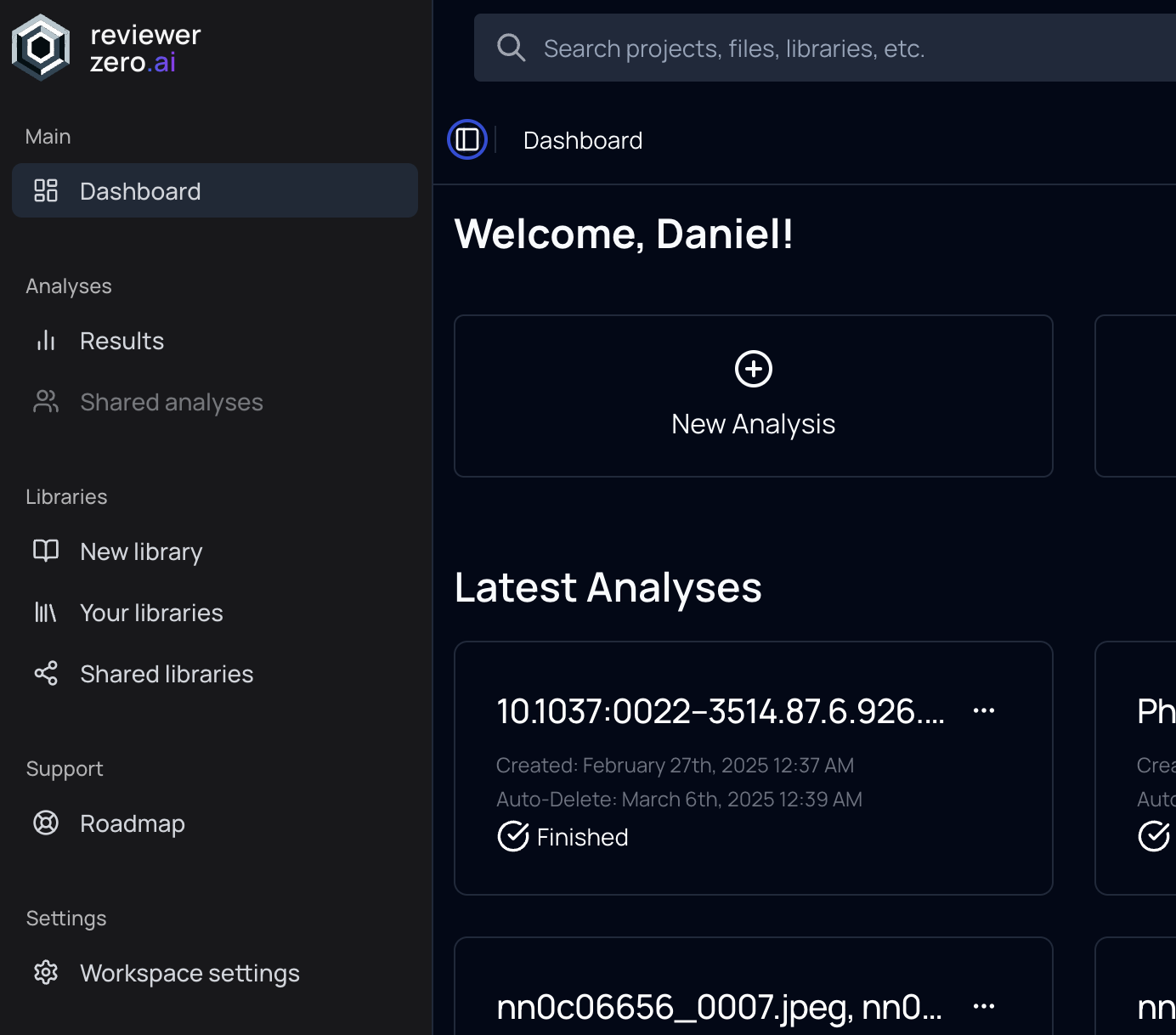 Dark Mode Interface
Features
- Reduce eye strain during night sessions
- Full functionality and clarity maintained
- Automatic system preference detection
- Manual toggle available in settings
Secure Auto-deletion
Enhanced security with automatic deletion of sensitive analyses.
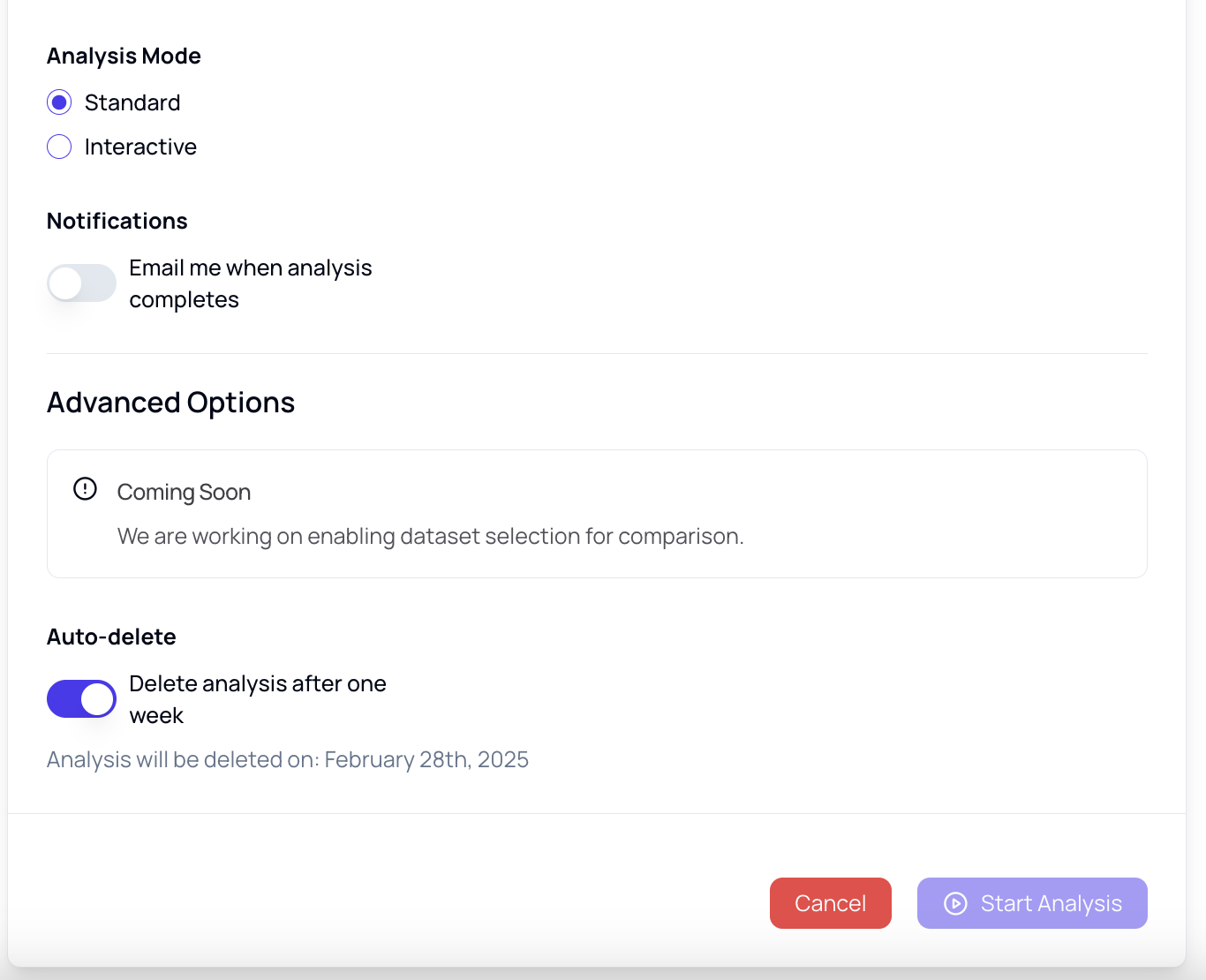 Auto-deletion Security
How It Works
- Opt in to auto-deletion when you upload an analysis; your choice is remembered for future uploads
- The analysis is permanently deleted 7 days after creation — database records and stored files
- No manual intervention required
- You can also delete any analysis manually at any time; deletion is immediate and permanent
Use Cases
- Pre-publication manuscript screening
- Sensitive integrity investigations
- Compliance with data retention policies
- Protecting confidential submissions
Email Notifications
Receive email notifications when your analyses are complete—perfect for longer analyses.
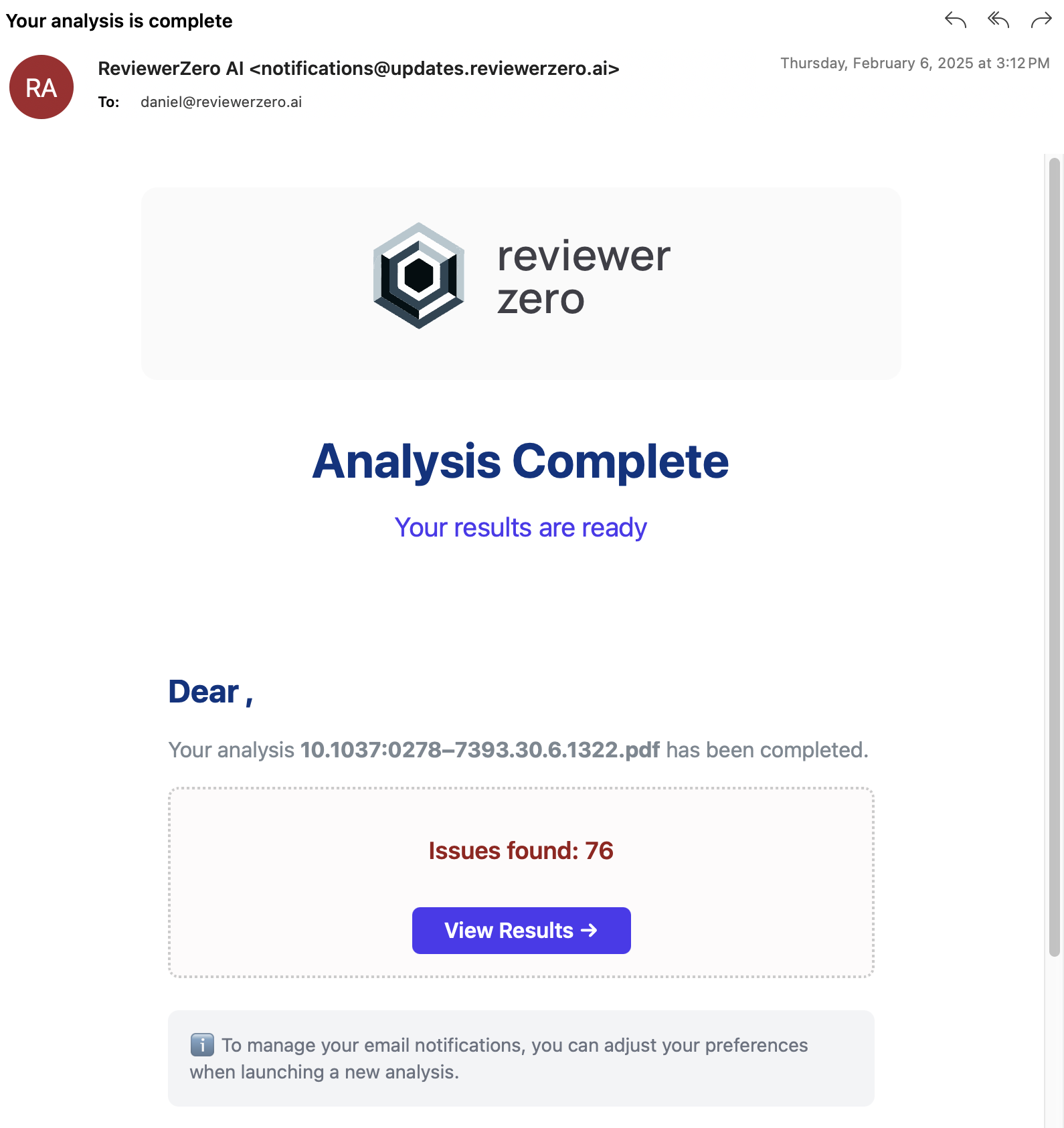 Email Notifications
What You Receive
When analysis completes, you'll get an email containing:
- Analysis name and completion status
- Summary of issues found (if any)
- Breakdown by category (figures, statistics, citations, etc.)
- Direct link to view full results
Configuration Options
- Enable/disable per analysis; your choice is remembered for future uploads
- Customize notification preferences
Batch Upload
Analyze multiple manuscripts in one go.
- Upload up to 20 PDFs at once — batch mode activates automatically when you add two or more files
- Each PDF becomes its own analysis with its own report
- Batch analyses are grouped in an automatically created folder so results stay organized
- Enable email notifications to be alerted as each analysis completes
Flexible Sharing
Share your analysis results with individuals, your organization, or make them public.
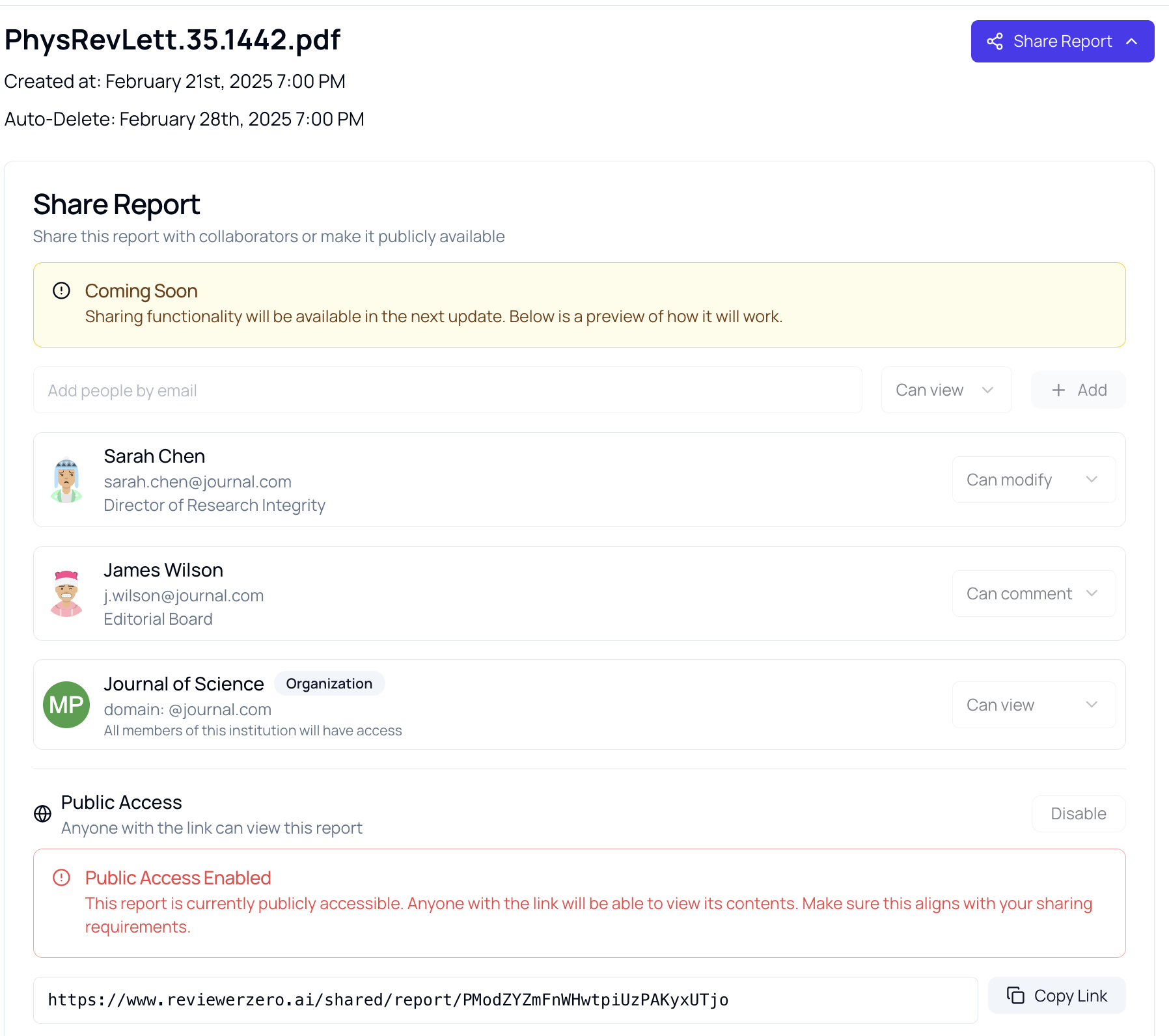 Sharing Interface
Sharing Options
| Level | Description | Use Case |
|---|---|---|
| Private | Only you can access | Personal screening |
| Organization | Share with everyone in your organization | Collaborative review |
| Individual | Share with specific people by email | Targeted sharing |
| Public link | Anyone with the link can view | Transparency reports |
Permissions
Control what shared users can do:
- Can view - See results, navigate all tabs, and export reports without editing
- Can edit - Additionally dismiss and restore findings and manage the review workflow
See Sharing for full details.
Progress Tracking
Track the progress of your analyses in real-time with detailed progress reports.
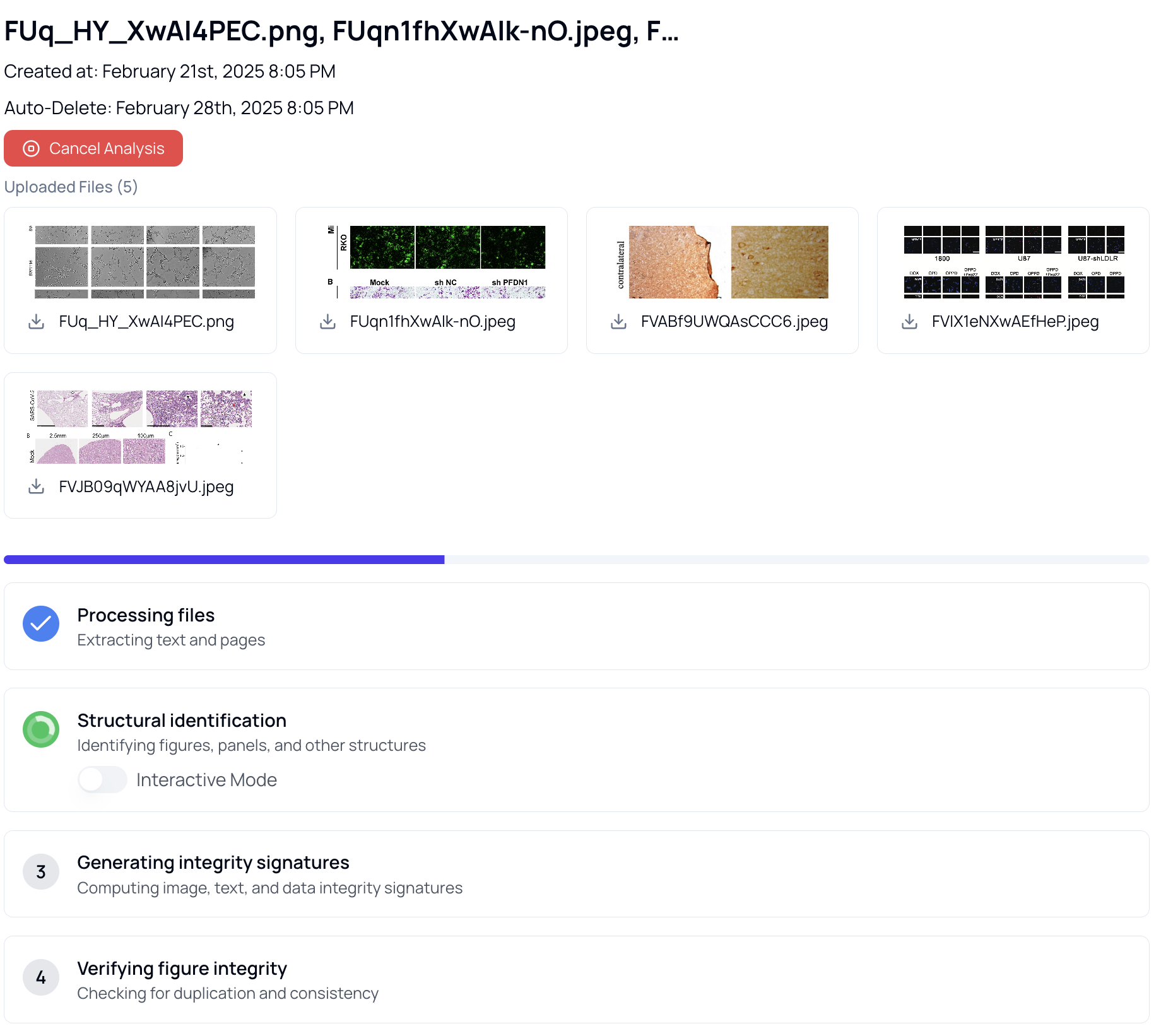 Progress Tracking
What You See
Real-time updates on:
- File Processing - Upload and initial parsing status
- Structural Identification - Figure and panel detection
- Integrity Signatures - Feature extraction progress
- Figure Integrity - Duplication and manipulation checks
- Report Generation - Final report compilation
Progress Stages
| Stage | Description |
|---|---|
| Processing | Files being parsed and prepared |
| Analyzing | Running integrity checks |
| Generating | Creating reports |
| Finished | Analysis complete |
Estimated Times
Processing time depends on:
- Number of files uploaded
- Total page count
- Number of figures
- Analysis types selected
Most single manuscripts complete within 2-5 minutes.
Security and Privacy
Data Protection
- All data encrypted in transit and at rest
- Secure cloud infrastructure
- No training on your data
Access Control
- Role-based permissions
- Organization and team workspaces
Compliance
- Institutional data requirements supported
- User-controlled retention, with automatic deletion options
- Export and deletion tools
Best Practices
For High-Volume Processing
- Enable email notifications to track completion
- Set up organizational sharing for team review
- Configure auto-deletion for data hygiene
For Sensitive Analyses
- Enable auto-deletion at upload
- Keep sharing to minimum required
- Review and purge regularly
For Collaborative Work
- Use organization sharing for team review of findings
- Track progress on shared dashboards
- Export reports for documentation
Related Resources
- AI Review - Comprehensive manuscript assessment
- Image Analysis - Figure integrity checking
- Statistical Checks - Statistics verification